More From Contributor

£14.72
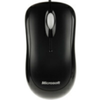
Comfort & Precise Control Benefit from great features such as ambidextrous design & stay at your peak creativity without emptying your wallet. With this mouse, you can rely on optical technology for smooth, precise control. Use the scroll wheel for quick, confident navigation & customizable buttons for one-click access to your favorite documents, music files, or functions. Optical Technology Navigate with better speed, accuracy, & reliability. The optical sensor tracks movement on nearly any surface. Scroll Even Faster Move through your documents quickly without having to use the on-screen scroll bar. Comfortable in Either Hand Use your mouse with your left or right h&. Ambidextrous design makes it comfortable either way. Customizable Buttons Get quick access to the media, programs, & files you use most often. Device Stage Quickly & easily access common tasks, . .. ...
Available
£17.20
The Xbox 360 Headset heightens the experience of the Xbox LIVE&174; online gaming community, allowing you to strategize with teammates, trash-talk opponents, or just chat with friends while playing your favorite games. Features
- Boom microphone can be adjusted for optimal sound quality
- In-line volume control & mute switch
- Noise-canceling microphone improves game response to voice commands, & provides crisp & clear voice communication
- Adjustable headset fits comfortably on either ear.
- The headset plugs directly into either the Xbox 360 Controller or Xbox 360 Wireless Controller for ease of use


...
Available
£111.39
Microsoft Publisher 2013 offers new ways to work with your pictures, so you can move them around, swap them, & add visual pop to your publications with new picture & text effects. Working with pictures Publisher 2013 lets you search for pictures in one place, whether they&8242;re on your computer, in the Office.com clip art gallery, or on the web. Adding pictures Publisher 2013 makes it easier to work with batches of photos. When you choose several pictures at one time, Publisher places them in a column in the scratch area. From the scratch area you can drag a picture onto the publication page & drag it back off again, or swap one picture for another if you don&8242;t like the way a layout looks. Swapping pictures To swap two pictures, either both on the page or with one in the scratch area, select one picture & drag it by the mountain icon to the other picture until a pink... ...
Available
£26.88
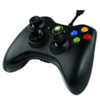
For PC & Xbox 360
- Works across Microsoft's gaming platforms. Xbox 360 Controller for Windows works with most Windows XP-based
...
Available
£53.34
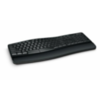
Designed for comfort The Sculpt Comfort Keyboard is packed with ergonomic features including a contoured keyset, removable padded palm rest, & palm lift. These features are designed to encourage a more natural, relaxed positioning of the arms, hands & wrist, providing greater comfort & helping to avoid injury during extended use. Built for productivity Microsoft believes in the constant pursuit of excellence, & is always looking for ways to improve the comfort & productivity of our hardware. The new split spacebar with backspace functionality on the Sculpt Comfort Keyboard is the perfect example. Research shows that 90 percent of people use only their right thumb to hit the space bar, & that the backspace key is one of the most frequently used keys on a keyboard. Knowing this, Microsoft Hardware designers built a larger, split spacebar that

Includes::
a backspace bar on...

...
Available
£30.18
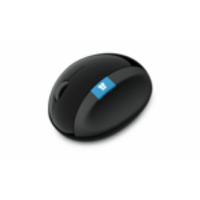
The ultimate Windows mouse The blue Windows touch tab on Sculpt Comfort Mouse revolutionizes the relationship between hardware & software, providing quick & easy access to your favorite Windows 8 features. Quickly navigate to the Start screen & access apps faster. Press the center of the sleek blue tab to switch between your current app & the Start screen. Or simply swipe up on the tab to cycle through all of your open apps, or down to reveal all the open apps & select the one you want. Bring order to your busy days The ease & speed of the Windows touch tab means you can get things done with precision & effortless control. Plus, Sculpt Comfort Mouse&8242;s intuitive, modern design & high functionality make it the perfect complement to your Windows 8 experience. Stay connected on the go Sculpt Comfort Mouse features Bluetooth connectivity, so you can easily pair your... ...
Available
£44.53
Streamlined curves maximize comfort The advanced design of Sculpt Ergonomic Mouse maximizes wrist comfort while making navigation effortless. Shaped to encourage a more natural h&, wrist, & forearm posture, Sculpt Ergonomic Mouse helps prevent the pain of repetitive stress injuries. Navigation made simple Sculpt Ergonomic Mouse perfectly integrates with Windows 8. Simply click the Windows button for one-touch to access to the Start screen. ...
Available
£79.82
Advanced ergonomic design Sculpt Ergonomic Desktop is built on advanced ergonomic principles, with a split keyboard layout that keeps wrists & forearms in a relaxed position, & a cushioned palm rest to provide wrist support. The domed keyboard shape works to reduce & correct wrist pronation that can cause pain & limited mobility. True comfort for lasting productivity Sculpt Ergonomic Desktop is designed for productivity, with an eye on ergonomic excellence. By providing a relaxed, comfortable computing experience, it enables you to work without the stress, strain, & discomfort of other keyboards & mice you may have used in the past. It&8242;s all in the angles The natural arc keyboard layout follows the curve of your fingertips for a more natural way of typing. Reverse tilt design positions the keyboard at the correct angle to give you a straight, neutral wrist... ...
Available
£55.74
Unique design for comfort & functionality With its modern, ergonomic design, Sculpt Ergonomic Keyboard sets the standard for support & comfort. It keeps your hands & arms in a relaxed position as you work, helping you feel refreshed after a day at your desk without soreness or injury. Protection for your joints Sculpt Ergonomic Keyboard is built on advanced ergonomic principles, with a split keyboard layout that keeps wrists & forearms in a relaxed position, & a cushioned palm rest that protects against inflammation & repetitive stress injuries. The domed keyboard shape works to reduce & correct excessive wrist pronation that can cause pain & limited mobility. Following the body&8242;s natural lines The natural arc layout follows the curve of your fingertips for a more natural way of typing. The reverse-tilt design positions the keyboard at the correct angle to give... ...
Available

Microsoft Sculpt Comfort

Designed for comfort The Sculpt Comfort Keyboard is packed with ergonomic features including a contoured keyset, removable padded palm rest, and palm lift. These features are designed to encourage a more natural, relaxed positioning of the arms, hands and wrist, providing greater comfort and helping to avoid injury during extended use. Built for productivity Microsoft believes in the constant pursuit of excellence, and is always looking for ways to improve the comfort and productivity of our hardware. The new split spacebar with backspace functionality on the Sculpt Comfort Keyboard is the perfect example. Research shows that 90 percent of people use only their right thumb to hit the space bar, and that the backspace key is one of the most frequently used keys on a keyboard. Knowing
this, Microsoft Hardware designers built a larger, split spacebar that includes a backspace bar on...

  • Click to be directed to retailers website:

    Buy

    Many items on our site can also be found here:

    Buy
    • External links may include paid for promotion
    • Availability: In Stock
    • Supplier: Alegol
    • SKU: 1885687
    Availability: In Stock
    £46.35

    Product Description

    Designed for comfort The Sculpt Comfort Keyboard is packed with ergonomic features including a contoured keyset, removable padded palm rest, & palm lift. These features are designed to encourage a more natural, relaxed positioning of the arms, hands & wrist, providing greater comfort & helping to avoid injury during extended use. Built for productivity Microsoft believes in the constant pursuit of excellence, & is always looking for ways to improve the comfort & productivity of our hardware. The new split spacebar with backspace functionality on the Sculpt Comfort Keyboard is the perfect example. Research shows that 90 percent of people use only their right thumb to hit the space bar, & that the backspace key is one of the most frequently used keys on a keyboard. Knowing this, Microsoft Hardware designers built a larger, split spacebar that

    Includes::
    a backspace bar on...

    Reviews/Comments

    Add New

    Price History

    Oooops!
    We couldn't find any historical pricing!

    Vouchers

    No voucher codes found.
    Do you know a voucher code for this product or supplier? Add it to Insights for others to use.

    Facebook

    Jargon Buster

    Ergonomic - A specific design to fit the purpose of the user
    Palm - The centre of a hand when facing upwards
    Palm - A hardware manufacturer of smart phones and personal digital assistants
    Key - A physical or virtual device or code used for opening something
    Keyboard - A device with keys, letters, numbers and function keys used for interacting with a device
    Keyboard - A musical instrument similar to a piano
    Natural - not manmade
    Comfort - something that feels nice to the user. Often relaxing.
    Padded - Something with an extra cushion or boost.
    Sculpt - To carve and create something into a structure.

    Supplier Information

    Alegol
    Alegol.com was formed to drive our interest in portable technology products hence the expression digital entertainment in motion. We carry in excess of 30,000 products on our website to meet the needs of a complex market environment.
    Page Updated: 2014-07-29 03:03:00

    Community Generated Product Tags

    Oh No! The productWIKI community hasn't generated any tags for this product yet!
    Menu