

 United Kingdom
 France
 Germany
 Netherlands
 Sweden
 USA
USA
 Italy
Italy
 Spain
Spain

More From Contributor
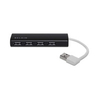


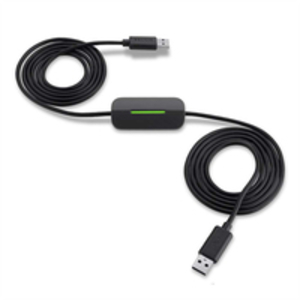
Belkin F4U060
Move Data Between Computers The Easy Transfer Cable provides a nimble, intuitive way to transfer files from your old Windows OS to Windows 8. The cable allows quick and seamless migration of data, including pictures, music, Windows settings, files, folders, program settings, email messages, and even Internet bookmarks. Accounts, data, and files can be transferred en masse or as selected. Designed to interface with Microsoft Windows Easy Transfer utility Transfer accounts and files in 3 easy steps: 1. Put CD into drive of old computer install and/or launch Windows Easy Transfer 2. Put CD into drive of new computer follow on-screen instructions 3. Connect Easy Transfer Cable follow on-screen instructions to complete transfer

Product Description
Reviews/Comments
Add New
Intelligent Comparison
Archived Product

Belkin F5L146 Transparent Communications
£53.79
Available
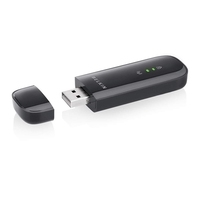
Belkin N600 Transparent Communications
£17.69
Archived Product

Belkin F3Y061BF Transparent Communications
£1.58
Archived Product

Belkin F3Y063BF Transparent Communications
£2.58
Archived Product

Belkin F3Y064BF Transparent Communications
£2.58
Archived Product

Belkin F7N006vf Transparent Communications
£6.77
Archived Product

Belkin F7N009cw Transparent Communications
£47.24
Archived Product

Belkin F7N009cw Transparent Communications
£45.32
Vouchers
No voucher codes found.
Do you know a voucher code for this product or supplier? Add it to Insights for others to use.
Do you know a voucher code for this product or supplier? Add it to Insights for others to use.
 Denmark